
FREE EXCEL TEMPLATE
Weekly timesheet
template for Excel.
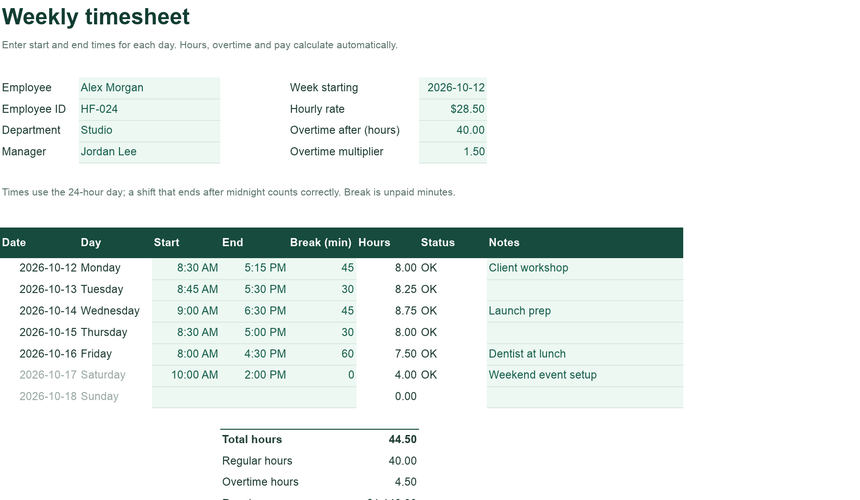
Seven days, one page. Type when the day started and ended, and the timesheet works out the hours, splits regular time from overtime, and totals the pay.
Free · No sign-up · Download blank XLSX · Example XLSX
- Breaks & night shifts
- Weekly overtime
- Print-ready sign-off
INSIDE THE WORKBOOK
Every sheet
has one job.
Mint cells are where you type. White cells calculate. Instructions inside the file explain each field.
- Timesheet
- Employee and pay details, the week starting date, a row for each day with start, end and break, then total hours, overtime and pay with signature lines.
- Instructions
- How hours, breaks, overtime and night shifts are calculated, and how to start the next week.
WHY IT HELPS
Built around
the real task.
Daily start and end times with breaks, weekly overtime and pay.
Times in, hours out
Enter start and end as times such as 8:30 AM or 17:15. Hours are calculated to the minute, less the unpaid break.
Shifts past midnight
If a shift ends after midnight, the end time is earlier than the start. The timesheet treats it as the next morning instead of a negative number.
Overtime you can set
Hours above the weekly threshold are paid at your multiplier. Both are settings, because rules differ by place and contract.
GETTING STARTED
Three steps
to your own version.
Open the example to see how it works, or start blank with your own records.
Fill in the week
Enter the employee, hourly rate and the date the week starts. Dates and day names fill in for all seven days.
Record each day
Type start and end times and the break in minutes. Leave days off empty.
Sign off
Check the totals, print or export a PDF for signatures, and keep a copy for payroll.
QUESTIONS
Before you begin.
Short answers about how the workbook behaves.
Is overtime calculated per day or per week?
Per week: hours above the threshold you set (40 by default) are overtime. If your rules count daily overtime, adjust the threshold or ask your payroll provider.
How do I record a split shift?
Use the main start and end times and put the unpaid gap in Break. For more than one gap, add the minutes together.
Can I use it for several employees?
Use one copy per employee per week. For rotas and coverage across a team, the Employee Shift Schedule in Pro is built for that.
Does it apply labor law?
No. It calculates hours and pay from the settings you enter. It does not check minimum breaks, wage rules or legal limits.
How do I keep my changes?
Use Download XLSX or PDF in the editor before closing the tab. Nothing is saved to a server automatically, and your workbook never leaves your device while you edit.
Will it work in Excel and Google Sheets?
The files use standard XLSX formulas without macros, pivot tables or external links. They are checked with the ExcelCraft engine; compatibility with every Excel or Google Sheets version is not guaranteed. Review formulas, charts and formatting in your app before relying on important figures.
Can I change the currency?
Amounts use a $ number format. Change the cell format to your currency; the formulas do not convert between currencies.
EXCELCRAFT PRO · EARLY ACCESS
Need the whole workflow?
Try Pro.
Pro workbooks cover whole workflows: purchasing to receiving, journal to balance sheet, tasks to portfolio health. Pro is planned to include AI credits for editing through chat. Pro downloads and the AI assistant are not available yet.
- Every Pro workbook as it is released, with dashboards, checks and instructions
- Planned: monthly AI credits for editing spreadsheets through chat
- Planned launch pricing; final terms are not set
$8/ month
or $60 / year · planned launch price
No payment today. We email you once when Pro opens.
How Pro worksRELATED
Works well with.
Separate workbooks for neighbouring jobs. Records do not sync between files.
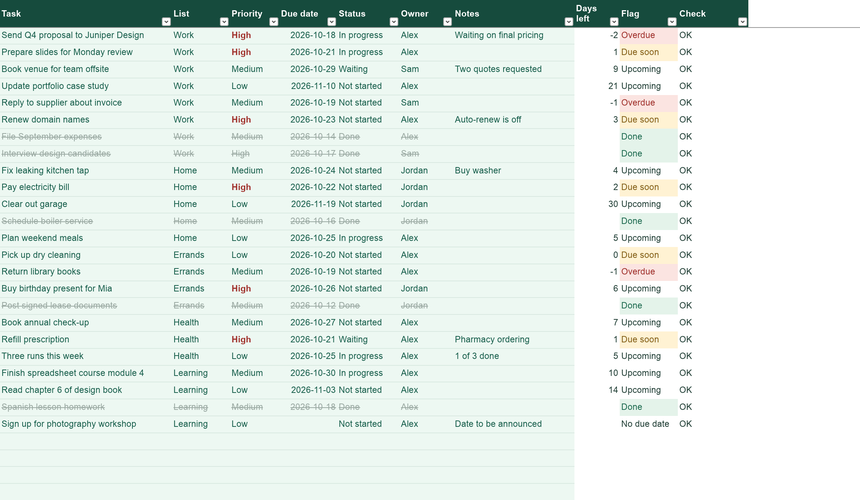
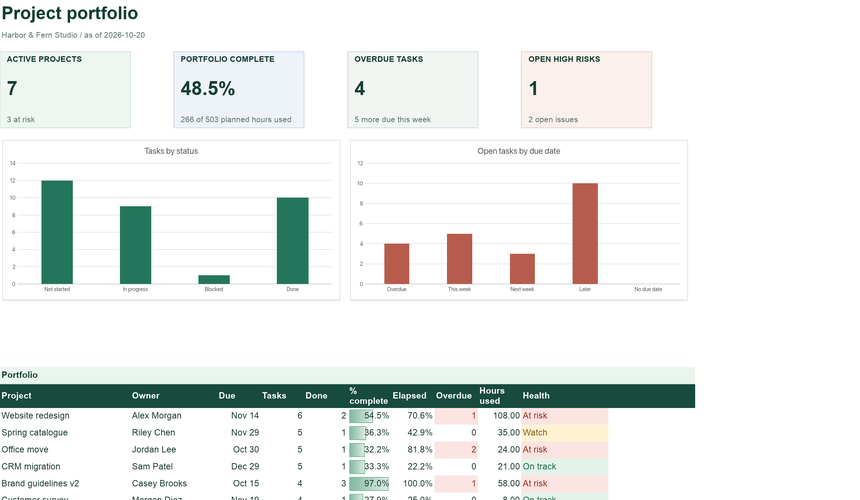
Project Tracker & Status Dashboard
Projects, tasks, risks and a portfolio dashboard with automatic health status.
See what is inside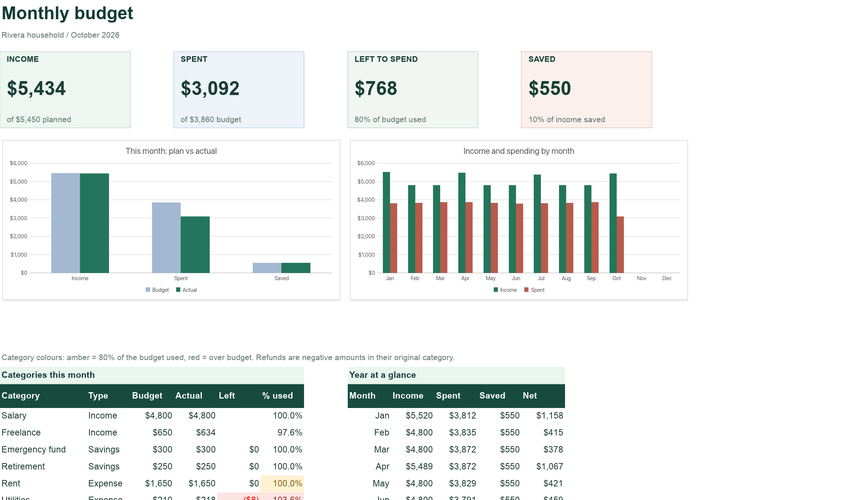
Monthly Budget Planner
Plan each category, record transactions, and see what is left to spend this month.
Open the templateYour workbook stays in this browser while you edit. Use Download in the editor to keep your work, and review important figures in the saved copy. How local files are handled.
Original ExcelCraft workbook design, formulas and fictional sample data · CC0. Management tool only; not tax, legal or accounting advice.