Project Tracker & Status Dashboard
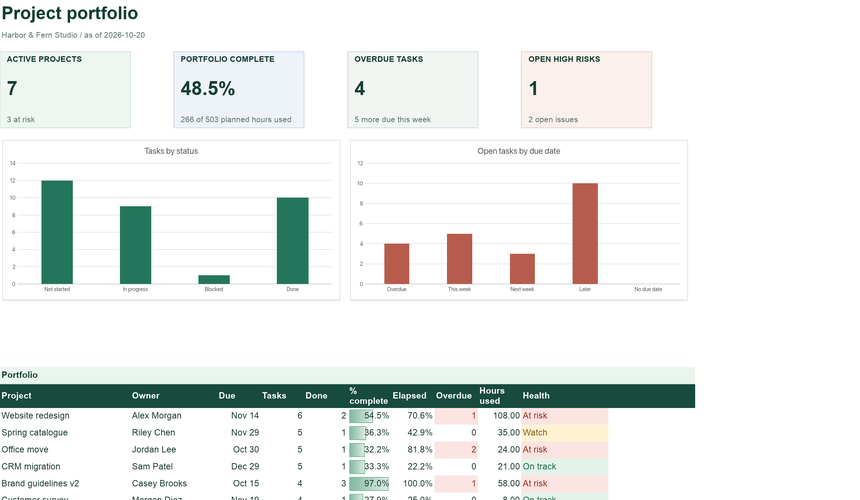
Projects, tasks, risks and a portfolio dashboard with automatic health status.
See what is inside ExcelCraft
FREE EXCEL TEMPLATE
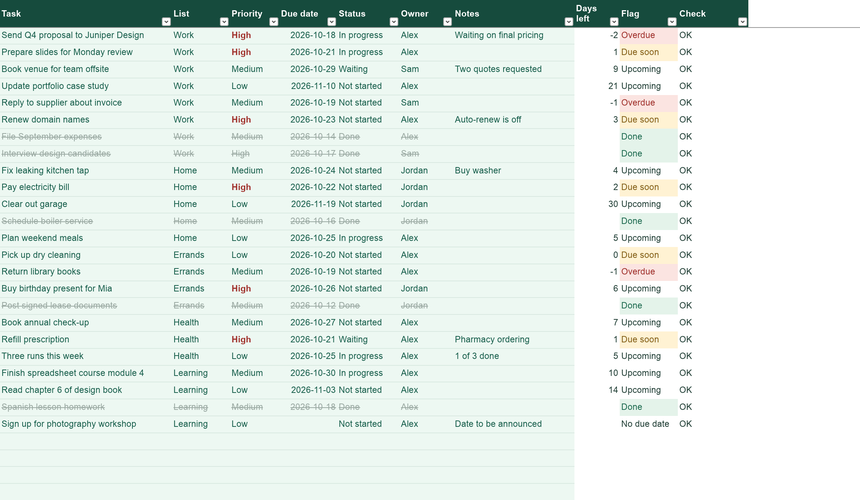
A to-do list that tells you what needs attention. Give each task a priority and a due date; the list flags what is overdue or due soon and crosses off what is done.
Free · No sign-up · Download blank XLSX · Example XLSX
INSIDE THE WORKBOOK
Mint cells are where you type. White cells calculate. Instructions inside the file explain each field.
WHY IT HELPS
Prioritized tasks with due-date flags, lists and a progress summary.
Every task gets a flag: Overdue, Due soon (within three days), Upcoming or No due date. Sort or filter by it to plan the day.
Mark a task Done and it is struck through and leaves the open counts, so the list keeps reflecting what is still ahead.
Keep work, home and errands in separate lists inside one workbook. The Summary shows progress for each.
GETTING STARTED
Open the example to see how it works, or start blank with your own records.
On Lists, rename the sample lists (Work, Home, Errands) or add your own.
Type each task with a list, priority and due date. Owner and notes are optional.
Change Status as you go. Check Summary for what is overdue and what is due this week.
QUESTIONS
Short answers about how the workbook behaves.
Yes, when the review date on Lists is empty. The sample is fixed to October 20, 2026 so its flags stay meaningful.
Assign owners in the Owner column and share the file. For projects with timelines, hours and risks, see the Project Tracker.
The four statuses (Not started, In progress, Waiting, Done) drive the counts. Use Notes for extra detail.
No. A spreadsheet cannot send notifications. Open it each morning and sort by Flag.
Use Download XLSX or PDF in the editor before closing the tab. Nothing is saved to a server automatically, and your workbook never leaves your device while you edit.
The files use standard XLSX formulas without macros, pivot tables or external links. They are checked with the ExcelCraft engine; compatibility with every Excel or Google Sheets version is not guaranteed. Review formulas, charts and formatting in your app before relying on important figures.
Amounts use a $ number format. Change the cell format to your currency; the formulas do not convert between currencies.
EXCELCRAFT PRO · EARLY ACCESS
Pro workbooks cover whole workflows: purchasing to receiving, journal to balance sheet, tasks to portfolio health. Pro is planned to include AI credits for editing through chat. Pro downloads and the AI assistant are not available yet.
$8/ month
or $60 / year · planned launch price
No payment today. We email you once when Pro opens.
How Pro worksRELATED
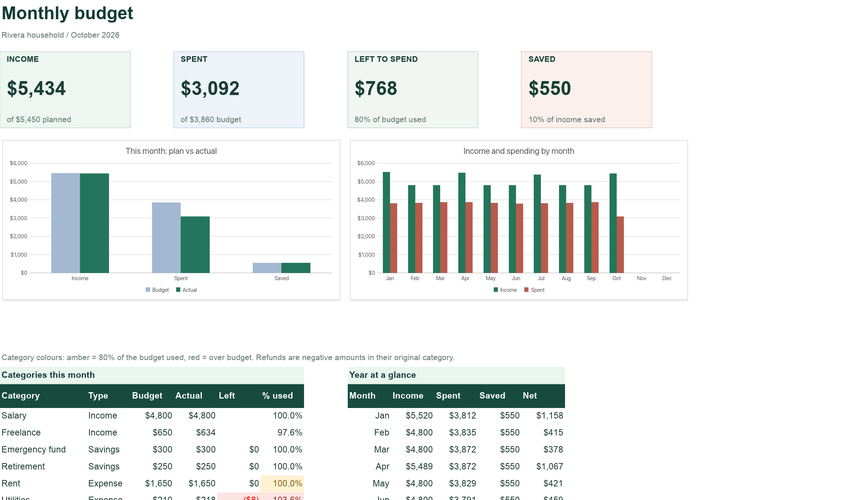
Separate workbooks for neighbouring jobs. Records do not sync between files.
Projects, tasks, risks and a portfolio dashboard with automatic health status.
See what is insidePlan each category, record transactions, and see what is left to spend this month.
Open the templateYour workbook stays in this browser while you edit. Use Download in the editor to keep your work, and review important figures in the saved copy. How local files are handled.
Original ExcelCraft workbook design, formulas and fictional sample data · CC0. Management tool only; not tax, legal or accounting advice.