
OLD WORKBOOK. FRESH START.
Convert XLS to XLSX.
Without sending it away.
Open an older Excel 97–2003 workbook, review its imported data, and download a modern XLSX copy. All on your device.
Drop your spreadsheet here
or choose a file from your device
EXCEL 97–2003 · XLS
Up to 20 MB · Processed locally in your browser
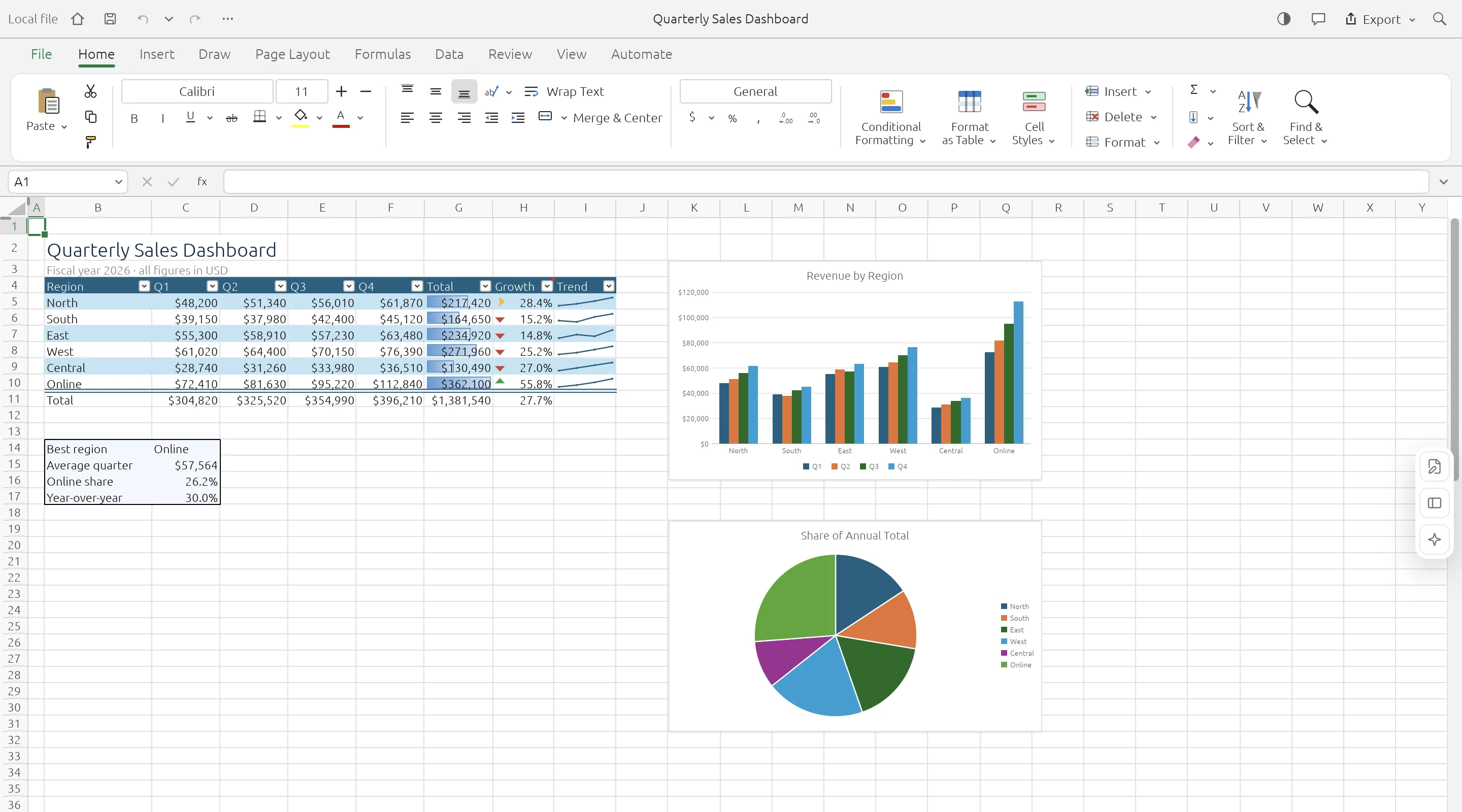
OPEN. WORK. DOWNLOAD.
Bring the data forward.
Check what comes with it.
Legacy XLS import currently reads worksheet values, formulas, and number formats. It is a data migration path, not a promise of exact conversion: styles, macros, drawings, and embedded objects may not survive. Inspect the imported sheets before downloading an XLSX copy and keep the original XLS file.
- 01
Choose the legacy workbook
Open a local .xls file.
- 02
Review the imported sheets
Check values, formulas, and number formats. Complex formatting and objects are limited.
- 03
Download XLSX
Save a modern workbook copy and retain the original for comparison.
KNOW YOUR WORKSPACE
Useful by design.
Clear about the limits.
A real spreadsheet engine, with compatibility still growing. Keep your original workbook and check important data after editing or conversion.
GridCraft is in alpha. Read the engine’s compatibility notes
| IN YOUR WORKBOOK | WHAT TO EXPECT |
|---|---|
| Values & worksheets | Supported · Multiple sheets and cell data |
| Formulas & formatting | Supported · Compatibility varies by feature |
| Charts & workbook objects | Evolving · Check complex layouts |
| Legacy XLS files | Data import · Values, formulas, number formats |
| XLSB & ODS files | Saved values · Limited formula and style import |
| VBA macros | Not executed |
| Cloud save & collaboration | Not available · Download to keep your work |
A FEW PRACTICAL ANSWERS
Before you open
that workbook.
Your file stays local. Your original stays intact. Your next step stays simple.
Will conversion preserve every feature?
No. XLS import focuses on values, formulas, and number formats. Legacy styles and embedded objects have limited support.
Does this run Excel macros?
No. VBA macros are not executed.
Can I convert XLSX back to XLS?
That direction is not offered. ExcelCraft does not promise a legacy XLS writer.
Is there a file-size limit?
The launch limit is 20 MB per file. Smaller workbooks provide a better browser experience.