
EXCELCRAFT PRO TEMPLATE
Project tracker
with a status dashboard.
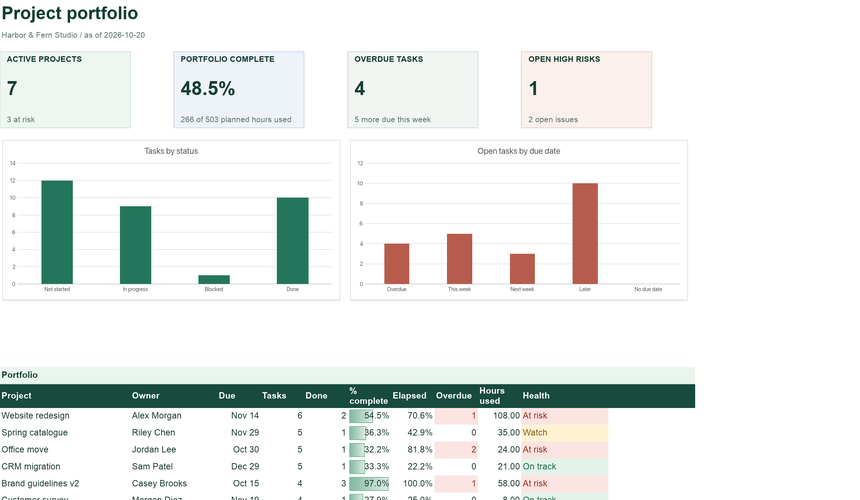
Know which projects are on track before the weekly meeting. Tasks roll up into projects, projects roll up into one dashboard, and every project gets a health status based on progress against time.
Planned pricing: $8 a month or $60 a year. No payment is taken today.
- Automatic project health
- Tasks, hours & risks
- Portfolio dashboard
INSIDE THE WORKBOOK
Every sheet
has one job.
Mint cells are where you type. White cells calculate. Instructions inside the file explain each field.
- Dashboard
- Active projects, portfolio completion, overdue tasks and open high risks, a portfolio table with health, and charts of tasks by status and by due date.
- Projects
- Each project with owner, dates and area; task counts, % complete, time elapsed, overdue tasks, hours and health calculate automatically.
- Tasks
- Tasks against a project with owner, dates, status, % complete, estimated and actual hours, and an overdue flag.
- Risks
- Risks and issues scored by likelihood and impact, with owner, status and review date.
- Settings · Checks · Instructions
- As-of date, team list and tolerance; checks for unknown projects, duplicate IDs and inconsistent statuses.
WHY IT HELPS
Built around
the real task.
Projects, tasks, risks and a portfolio dashboard with automatic health status.
Health you do not have to argue about
Each project compares % complete (earned hours) with the share of time elapsed. Behind by more than your tolerance, or any overdue task, and it is At risk.
Hours that add up
Estimated and actual hours roll up to each project and the portfolio, so you can see effort used against effort planned.
Risks next to the work
Score risks and issues 1 to 5 for likelihood and impact. High scores surface on the Dashboard until they are closed.
GETTING STARTED
Three steps
to your own version.
The sample shows a working example; the blank version keeps every formula ready for your records.
Set the date and team
On Settings, set the as-of date (or leave it empty for today) and list the people who own work.
Add projects and tasks
Give each project an ID, owner and dates. Add tasks against the project ID with estimates and a status.
Review every week
Update status and % complete, then open the Dashboard. Start the conversation with what is At risk.
QUESTIONS
Before you begin.
Short answers about how the workbook behaves.
How is % complete calculated?
Earned hours divided by estimated hours. A task that is 50% done with a 10-hour estimate earns 5 hours. Done tasks count as fully earned.
What makes a project At risk?
Any overdue task, or % complete behind time elapsed by more than the tolerance on Settings (15% by default). Slightly behind is Watch.
Is it a Gantt chart?
No. It tracks status, hours and risk. A Gantt chart and milestone planner is a separate Pro workbook.
How many projects can it hold?
Projects and tasks each hold 500 rows. The Dashboard portfolio table shows the first 12 projects; every project is on Projects.
How do I keep my changes?
Use Download XLSX or PDF in the editor before closing the tab. Nothing is saved to a server automatically, and your workbook never leaves your device while you edit.
Will it work in Excel and Google Sheets?
The files use standard XLSX formulas without macros, pivot tables or external links. They are checked with the ExcelCraft engine; compatibility with every Excel or Google Sheets version is not guaranteed. Review formulas, charts and formatting in your app before relying on important figures.
Can I change the currency?
Amounts use a $ number format. Change the cell format to your currency; the formulas do not convert between currencies.
EXCELCRAFT PRO · EARLY ACCESS
Part of
ExcelCraft Pro.
Pro workbooks cover whole workflows: purchasing to receiving, journal to balance sheet, tasks to portfolio health. Pro is planned to include AI credits for editing through chat. Pro downloads and the AI assistant are not available yet.
- Every Pro workbook as it is released, with dashboards, checks and instructions
- Planned: monthly AI credits for editing spreadsheets through chat
- Planned launch pricing; final terms are not set
$8/ month
or $60 / year · planned launch price
No payment today. We email you once when Pro opens.
How Pro worksRELATED
Works well with.
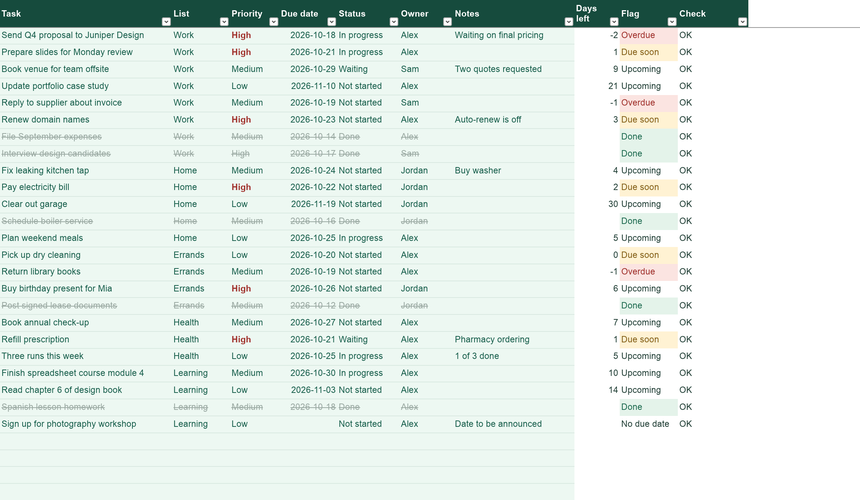
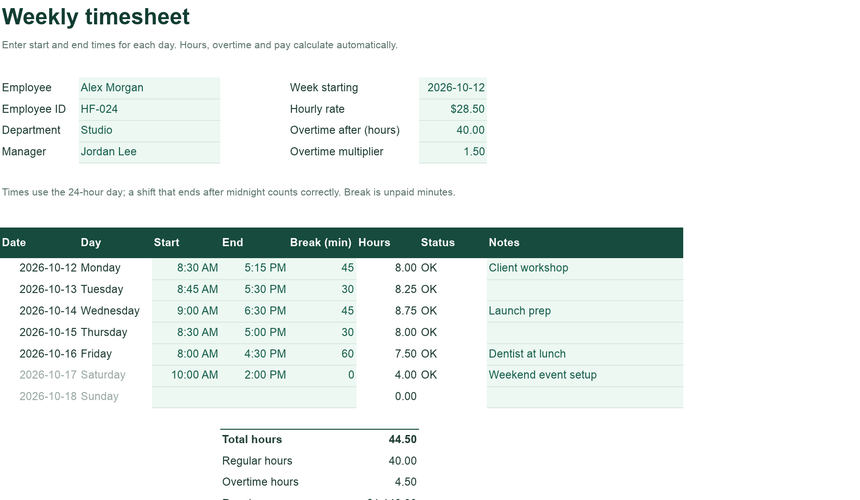
Separate workbooks for neighbouring jobs. Records do not sync between files.
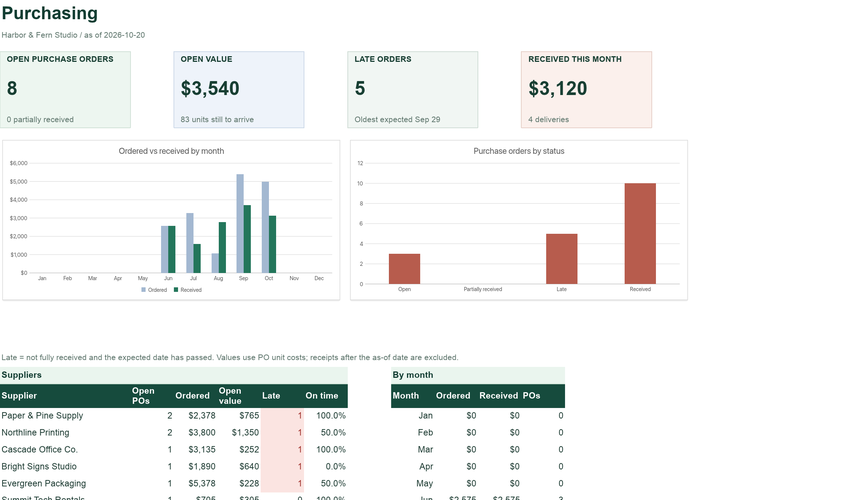
Purchase Order & Receiving Tracker
POs, line items and deliveries, with late orders and supplier on-time rates.
See what is insideYour workbook stays in this browser while you edit. Use Download in the editor to keep your work, and review important figures in the saved copy. How local files are handled.
Original ExcelCraft workbook design, formulas and fictional sample data · CC0. Management tool only; not tax, legal or accounting advice.