
A QUICK LOOK, WITHOUT A CLOUD DETOUR.
Excel viewer online.
Your files stay with you.
Inspect sheets, values, and formulas in a local Excel workbook. No account to create and no spreadsheet to send to a server.
Drop your spreadsheet here
or choose a file from your device
XLSX, XLS, XLSM & XLSB
Up to 20 MB · Processed locally in your browser
OPEN. WORK. DOWNLOAD.
A clearer view of
what is in your workbook.
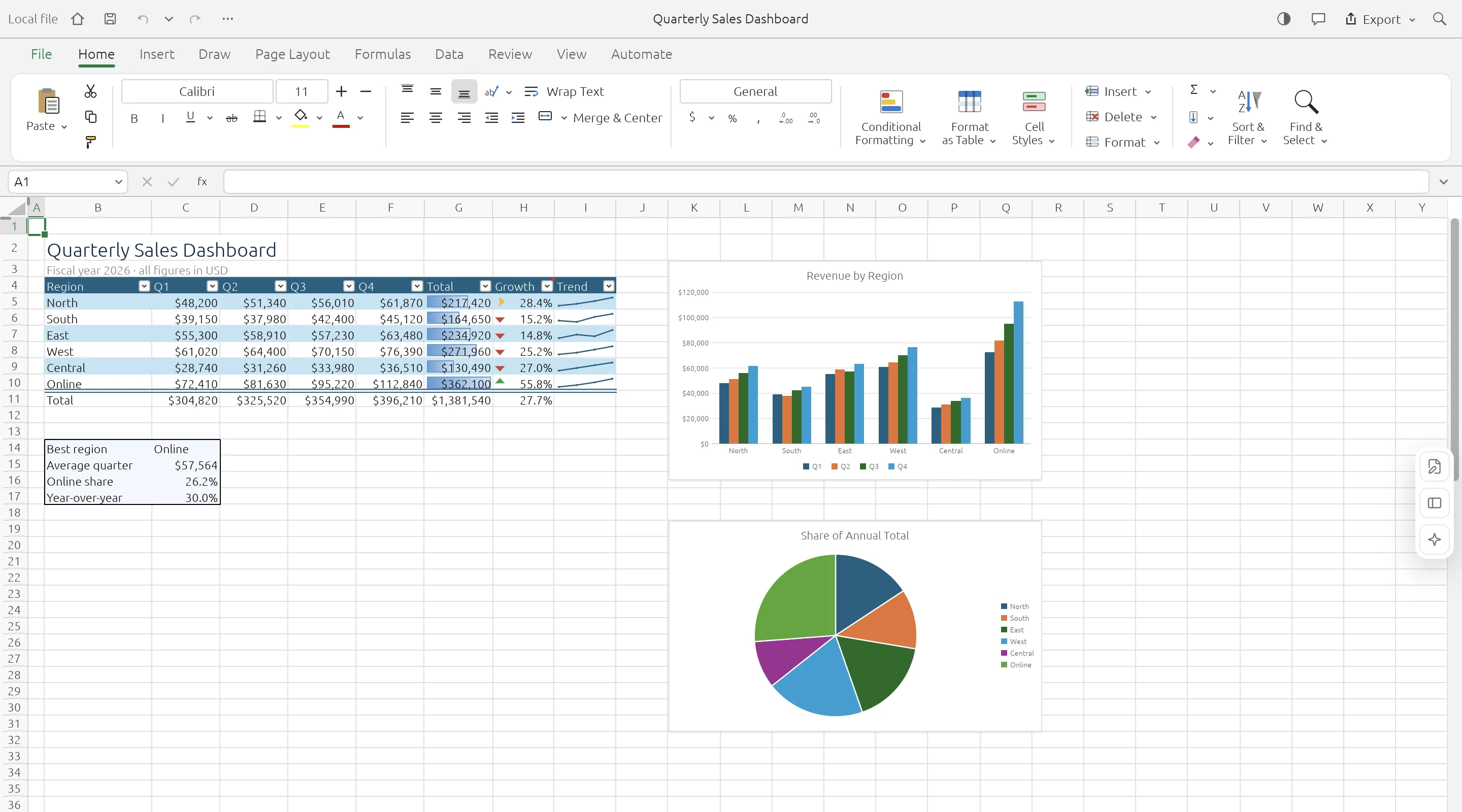
The Excel viewer opens files in the same GridCraft workspace as the editor, so you can move between worksheets, inspect formulas, and zoom into the data. Viewing does not change the file on your disk. Editing tools are available if you need to make changes; download a separate copy when finished.
- 01
Choose an Excel file
Open a local XLSX, XLS, XLSM, or XLSB workbook.
- 02
Explore the worksheets
Use the sheet tabs, name box, and formula bar to inspect your data.
- 03
Keep or edit a copy
Your source file stays untouched. Download a separate workbook if you make changes.
KNOW YOUR WORKSPACE
Useful by design.
Clear about the limits.
A real spreadsheet engine, with compatibility still growing. Keep your original workbook and check important data after editing or conversion.
GridCraft is in alpha. Read the engine’s compatibility notes
| IN YOUR WORKBOOK | WHAT TO EXPECT |
|---|---|
| Values & worksheets | Supported · Multiple sheets and cell data |
| Formulas & formatting | Supported · Compatibility varies by feature |
| Charts & workbook objects | Evolving · Check complex layouts |
| Legacy XLS files | Data import · Values, formulas, number formats |
| XLSB & ODS files | Saved values · Limited formula and style import |
| VBA macros | Not executed |
| Cloud save & collaboration | Not available · Download to keep your work |
A FEW PRACTICAL ANSWERS
Before you open
that workbook.
Your file stays local. Your original stays intact. Your next step stays simple.
Do I need Microsoft Excel installed?
No. A modern browser with WebGPU or WebGL2 support is sufficient.
Is this a locked, read-only viewer?
No. The viewer uses the full spreadsheet workspace. Your original file is not overwritten, and changes are only kept when you download a copy.
Can I open older XLS workbooks?
Yes, with limits. Legacy XLS import focuses on values, formulas, and number formats. Formatting and embedded objects may not be preserved.
Can I view password-protected workbooks?
Compatibility varies. If a workbook cannot be opened, try an unencrypted copy exported from your usual spreadsheet application.