
FROM WORKSHEET TO A PAGE YOU CAN SHARE.
Excel to PDF.
Export locally. Keep control.
Open a workbook, check the worksheet and print settings, then export the active sheet as a PDF. Your file stays on your device.
Drop your spreadsheet here
or choose a file from your device
XLSX, XLS, XLSM, CSV & TSV
Up to 20 MB · Processed locally in your browser
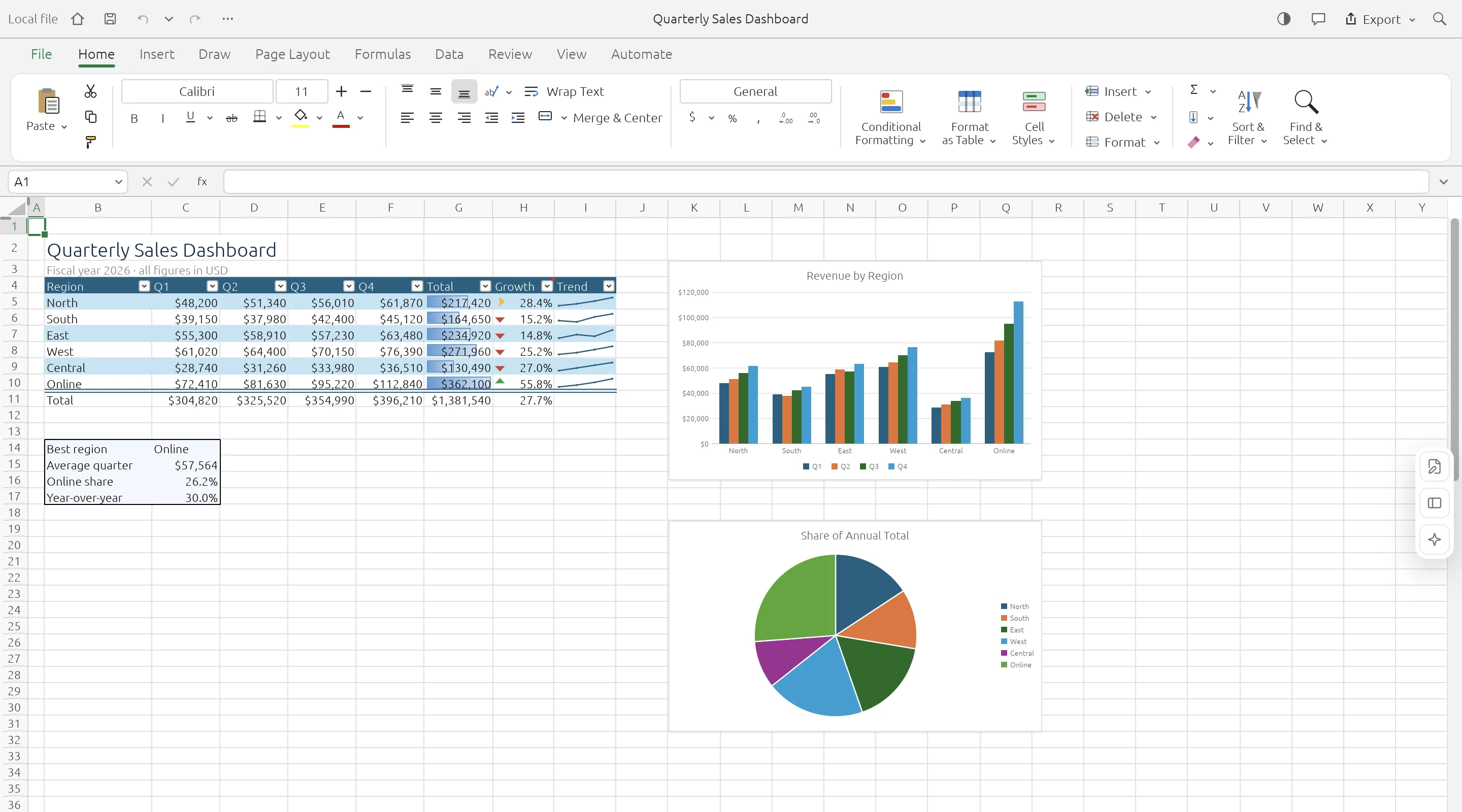
OPEN. WORK. DOWNLOAD.
Make a page from your data.
Check the layout before sharing.
PDF export uses the active worksheet and its print settings. Open your workbook in the editor, choose the sheet, and adjust orientation, paper size, scaling, or print area in Page Layout. Use the PDF button to download the result. Layout and font fidelity may differ from Excel, particularly with complex charts and non-Latin text.
- 01
Open and choose a sheet
Load your local workbook and activate the worksheet you want to export.
- 02
Check the page setup
Use Page Layout to adjust the print area, orientation, paper size, and scaling.
- 03
Download the PDF
Select PDF in the top bar. Open the downloaded document and check page breaks and text before sharing.
KNOW YOUR WORKSPACE
Useful by design.
Clear about the limits.
A real spreadsheet engine, with compatibility still growing. Keep your original workbook and check important data after editing or conversion.
GridCraft is in alpha. Read the engine’s compatibility notes
| IN YOUR WORKBOOK | WHAT TO EXPECT |
|---|---|
| Values & worksheets | Supported · Multiple sheets and cell data |
| Formulas & formatting | Supported · Compatibility varies by feature |
| Charts & workbook objects | Evolving · Check complex layouts |
| Legacy XLS files | Data import · Values, formulas, number formats |
| XLSB & ODS files | Saved values · Limited formula and style import |
| VBA macros | Not executed |
| Cloud save & collaboration | Not available · Download to keep your work |
A FEW PRACTICAL ANSWERS
Before you open
that workbook.
Your file stays local. Your original stays intact. Your next step stays simple.
Does the PDF contain every worksheet?
The quick PDF button exports the active worksheet. Select the intended sheet first.
Will the PDF match Microsoft Excel exactly?
Exact layout and font rendering are not guaranteed. Review the exported PDF, especially charts, page breaks, and non-Latin characters.
Is my workbook uploaded for conversion?
No. The spreadsheet engine creates the PDF locally in your browser.
Can I convert PDF back to Excel?
That direction is not part of this service.