A useful starting point. Small business Excel templates.
Follow the money from customer balances to everyday spending and profit. Three focused workbooks, with a Dashboard for the overview and working detail you can inspect.
↗
Open an example. Explore the whole workbook. Start your own routine.
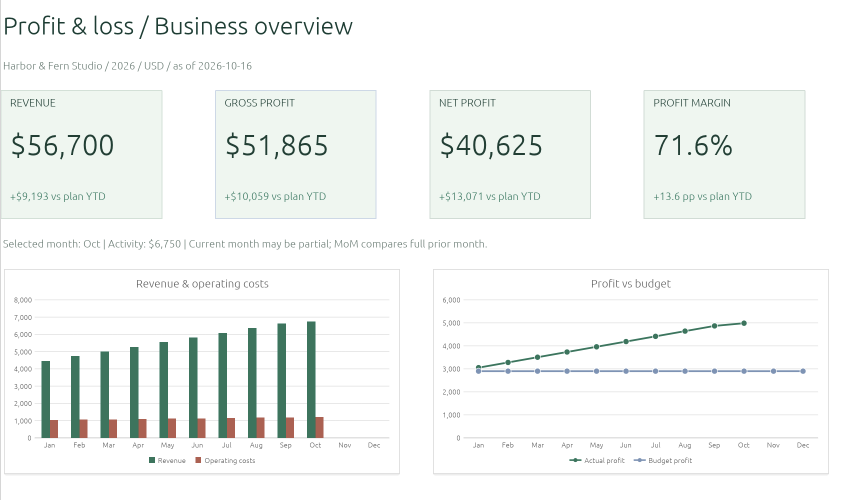
Bring revenue, costs, and your plan into one view. Explore the monthly story, follow the year, and see what is changing before your next business review.
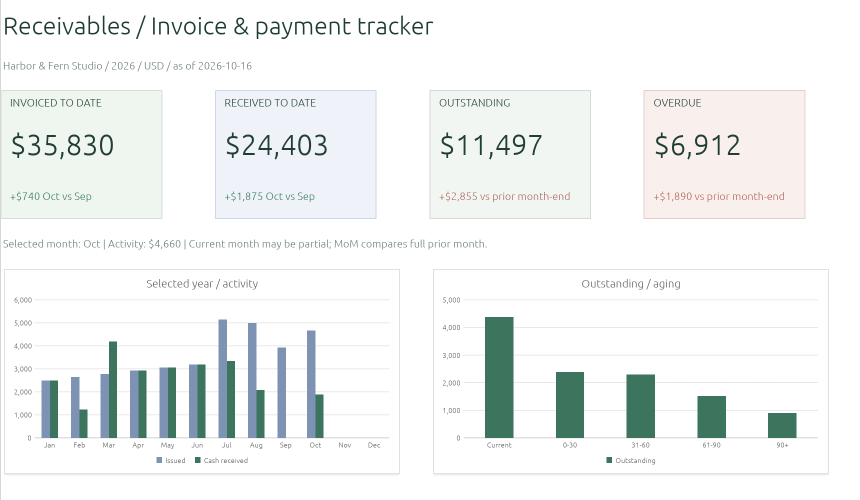
Know what has been paid and what still needs attention. Keep invoices and receipts connected, review overdue balances, and follow customer collections over the year.
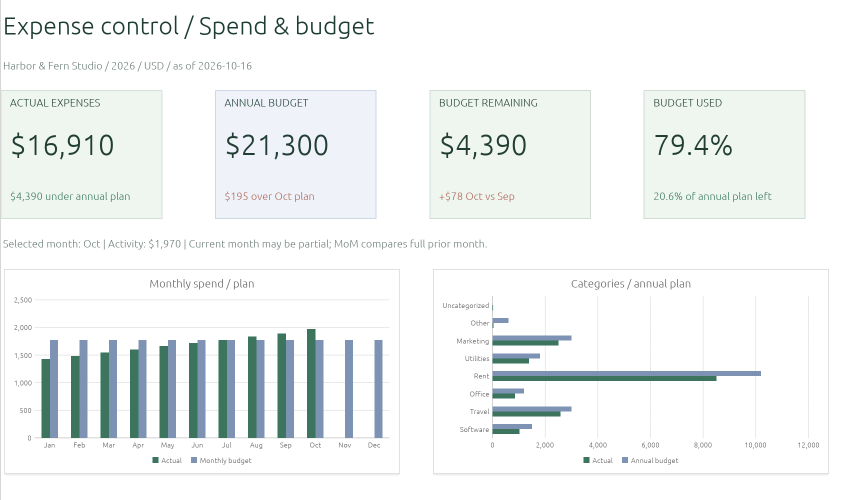
Give everyday spending a useful structure. Record paid expenses and refunds, compare categories with your budget, and see how the year is taking shape.
Fictional sample · Open the workbook to exploreView full size ↗
ONE REGULAR REVIEW
Connect the questions. Keep the records distinct.
These workbooks complement one another. They do not transfer or synchronize records automatically.
01
Follow up the money due
Use the invoice tracker for customer balances and collections as of a chosen date. An invoice total is not the same as cash received.
02
Understand paid spending
Use the expense tracker for paid costs, refunds, category trends, and the budget.
03
Review profitability
Use the P&L for revenue and costs on a consistent basis. Review the month alongside the year and plan.
A SIMPLE WAY TO BEGIN
Try the example. Then bring your own records.
Each workbook includes fictional sample data, a blank starting point, reporting views, Settings, Checks, and Instructions.
A workbook you can inspect
Review the input sheets, formulas, reporting context, and checks before replacing the example. Use a single currency consistently; changing the unit does not convert amounts.
A copy you can keep
Use Export XLSX inside the editor before closing. ExcelCraft uses the alpha-stage GridCraft engine; review the exported copy because formatting and calculations can vary.
Your workbook stays in this browser while you edit. Use Export XLSX in the editor to keep your work. Review formulas, totals, and the exported copy before using important figures. How local files are handled.
Original ExcelCraft workbooks · CC0. All sample business activity is fictional. These management tools do not connect to banks, prepare tax filings, or replace accounting software.