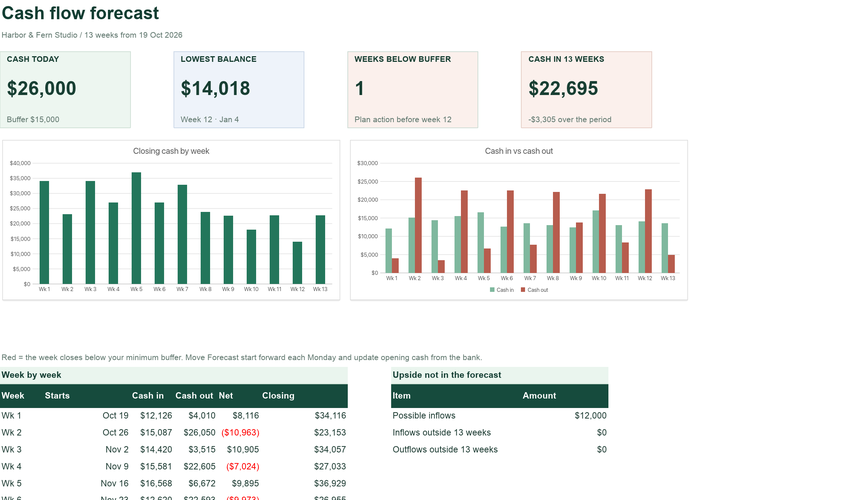
Cash Flow Forecast (13 weeks)
A rolling 13-week cash forecast by category with a minimum-balance warning.
See what is inside ExcelCraft
EXCELCRAFT PRO TEMPLATE
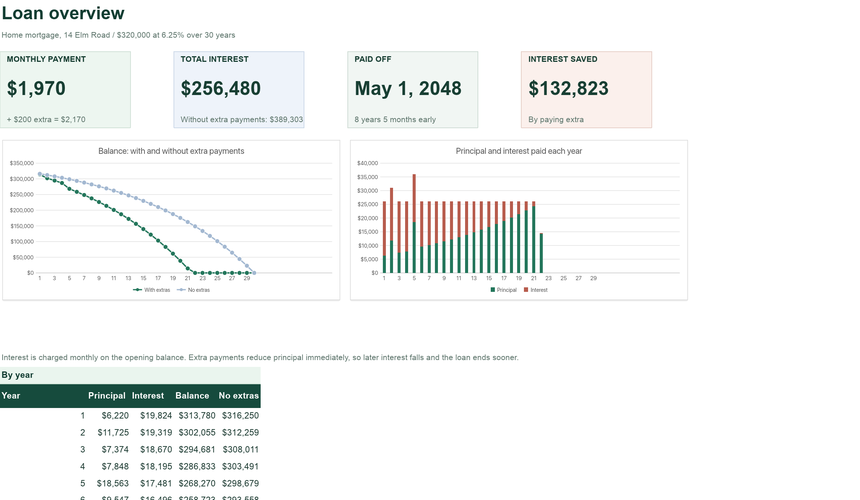
See every payment until the loan is gone, and what paying a little more does. Add a regular extra or a one-off lump sum and the schedule shows the new payoff date and the interest you save.
Planned pricing: $8 a month or $60 a year. No payment is taken today.
INSIDE THE WORKBOOK
Mint cells are where you type. White cells calculate. Instructions inside the file explain each field.
WHY IT HELPS
Full payment schedule and how much interest and time extra payments save.
Every monthly payment split into interest and principal, so you can see how slowly the balance moves at first and how it speeds up.
Change the regular extra or add a lump sum and the payoff date, total interest and interest saved update immediately.
Interest saved compares against the same loan with no extras, calculated the same way, payment by payment.
GETTING STARTED
The sample shows a working example; the blank version keeps every formula ready for your records.
Amount, annual rate, term in years and the first payment date.
Set a regular monthly extra and add one-off payments with their dates.
Check the payoff date and interest saved on the Dashboard.
QUESTIONS
Short answers about how the workbook behaves.
Any fixed-rate loan with monthly payments. Adjustable rates are not modelled.
No. It covers principal and interest only. Add escrow items separately.
Lenders round and calculate interest in slightly different ways (for example daily interest). Expect small differences.
Some loans charge for early repayment. Check your loan terms before paying extra.
Use Download XLSX or PDF in the editor before closing the tab. Nothing is saved to a server automatically, and your workbook never leaves your device while you edit.
The files use standard XLSX formulas without macros, pivot tables or external links. They are checked with the ExcelCraft engine; compatibility with every Excel or Google Sheets version is not guaranteed. Review formulas, charts and formatting in your app before relying on important figures.
Amounts use a $ number format. Change the cell format to your currency; the formulas do not convert between currencies.
EXCELCRAFT PRO · EARLY ACCESS
Pro workbooks cover whole workflows: purchasing to receiving, journal to balance sheet, tasks to portfolio health. Pro is planned to include AI credits for editing through chat. Pro downloads and the AI assistant are not available yet.
$8/ month
or $60 / year · planned launch price
No payment today. We email you once when Pro opens.
How Pro worksRELATED
Separate workbooks for neighbouring jobs. Records do not sync between files.
A rolling 13-week cash forecast by category with a minimum-balance warning.
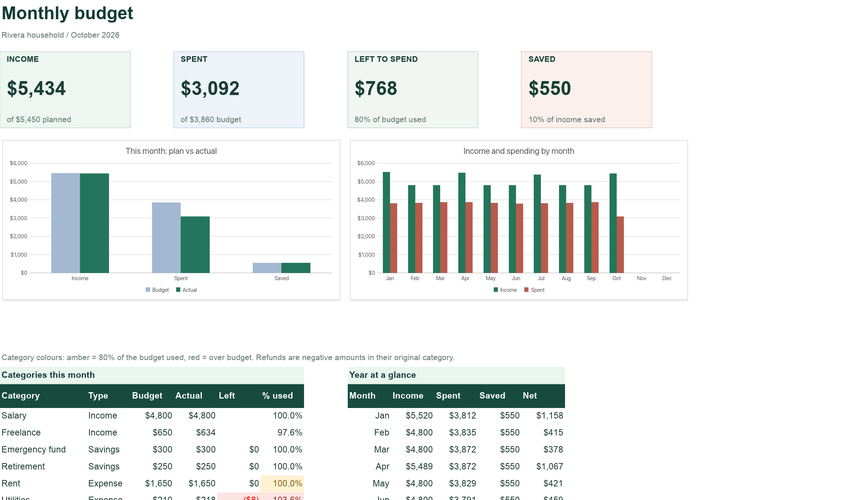
See what is insidePlan each category, record transactions, and see what is left to spend this month.
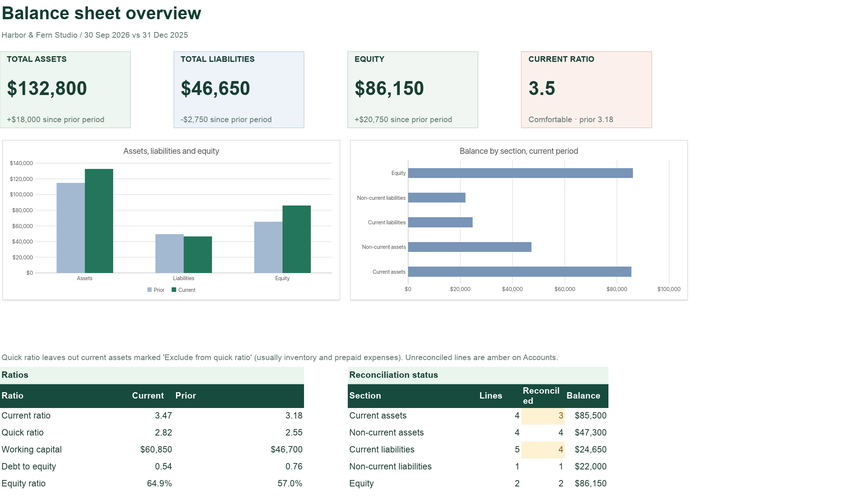
Open the templateTwo-period balance sheet with ratios and a reconciliation status for every line.
See what is insideYour workbook stays in this browser while you edit. Use Download in the editor to keep your work, and review important figures in the saved copy. How local files are handled.
Original ExcelCraft workbook design, formulas and fictional sample data · CC0. Management tool only; not tax, legal or accounting advice.